User guide
Learn Yut, one screen at a time.
Every feature, shown on the app's own screens with numbered callouts. Pick a topic, or start at the beginning.
New to Yut?
Start here
4 short reads take you from installing Yut to your first saved route.
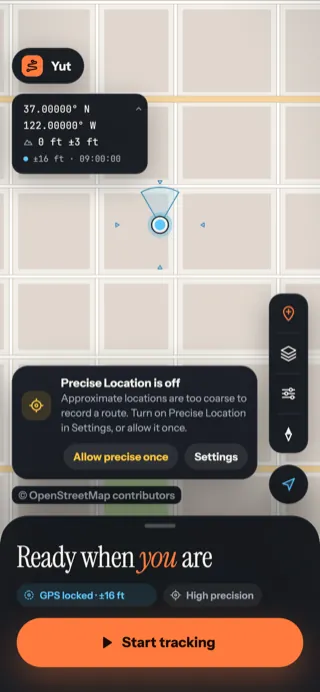 Install and allow locationThe two permissions Yut needs, why it needs them, and what to do if a warning shows up.
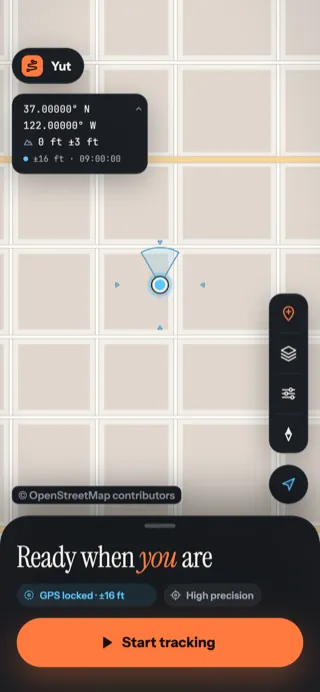 Get to know the map screenA tour of everything on Yut's main screen, and where the settings live.
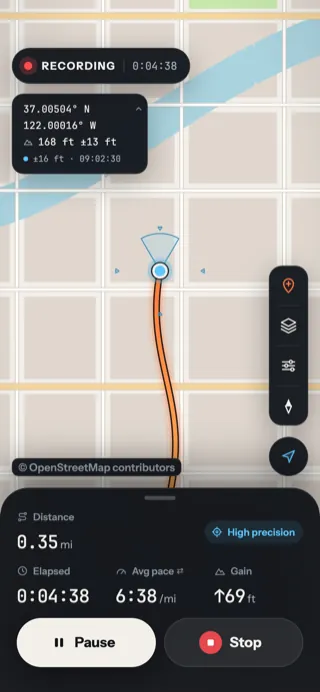 Record a routeStart, pause and stop a recording, then name the route you made.
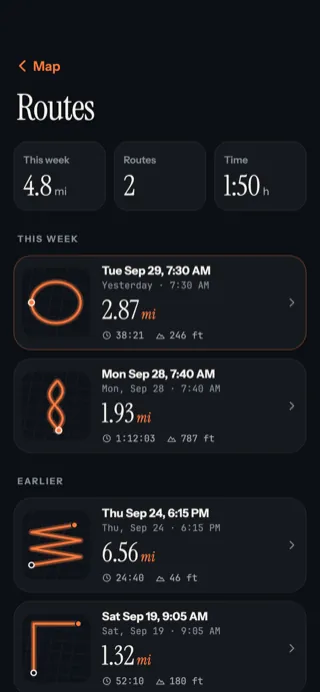 Your routesFind every route you've recorded, with your week's totals at the top.
Getting started
Install, allow location, and learn your way around the map.
Recording
Record a route, read the numbers, and keep going all day.
- Record a routeStart, pause and stop a recording, then name the route you made.
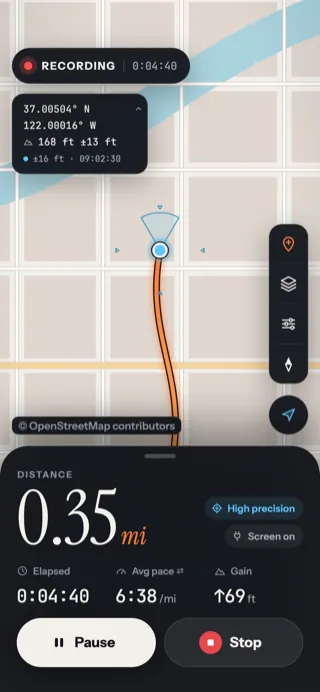 Read your numbersWhat distance, time, pace, speed and gain mean, and how to make the sheet bigger or smaller.
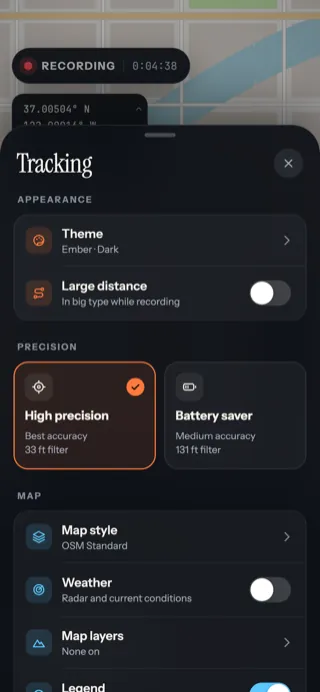 High precision or Battery saverChoose between the most accurate line and the longest battery life, and keep the screen on while charging.
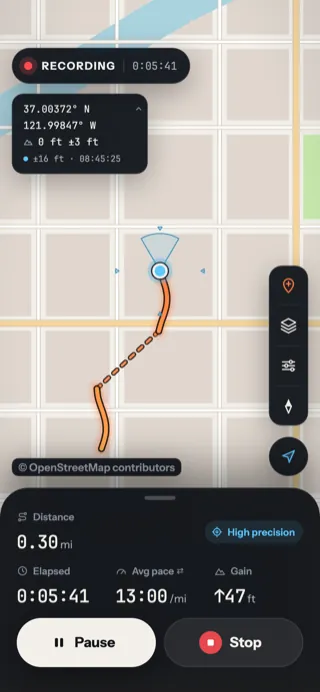 Locked phone, closed app and gapsWhy Yut keeps recording in your pocket, what happens if iOS closes it, and what a dashed line means.
- Lock Screen and Dynamic IslandCheck your distance and time on the Lock Screen without unlocking the phone.
The map
Move around, drop pins, and change how the map looks.
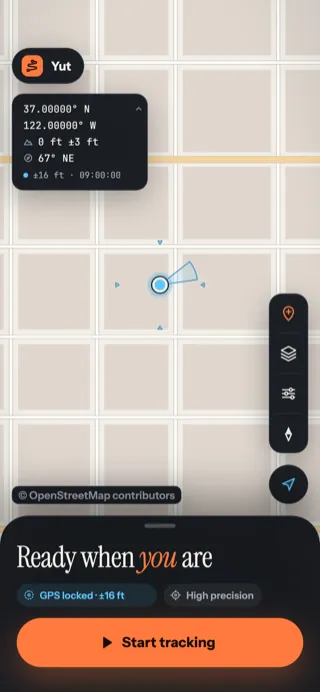 Move around the mapZoom, look around, come back to yourself, and turn the map to face the way you're going.
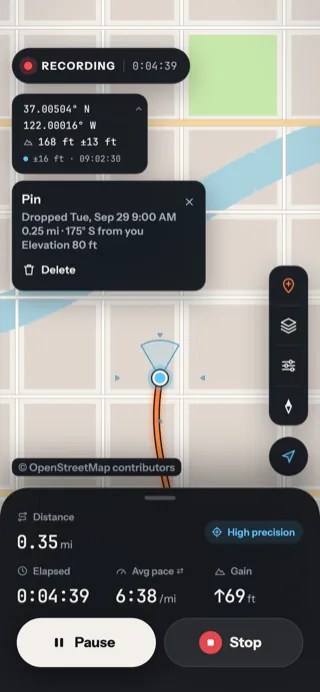 Drop pinsMark a spot with one tap — a campsite, a gate, a view — and find your way back to it.
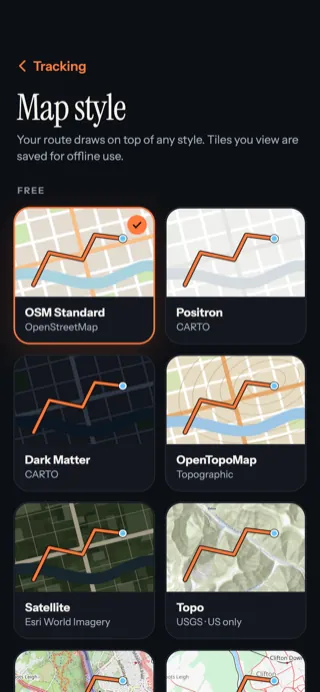 Map stylesSwitch between street, topo and satellite maps, add your own map keys, and refresh saved tiles.
Map layers
Trails, terrain, land, water and weather drawn over the map.
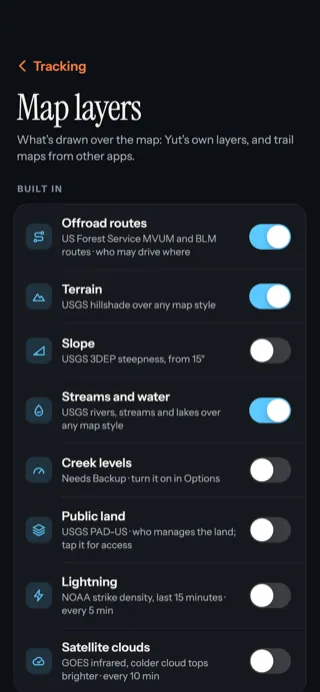 Map layersTurn on trails, terrain, land, water and weather over any map, and read the legend.
- Offroad routesSee who may drive which road on Forest Service and BLM land, and fade the trails your vehicle can't ride.
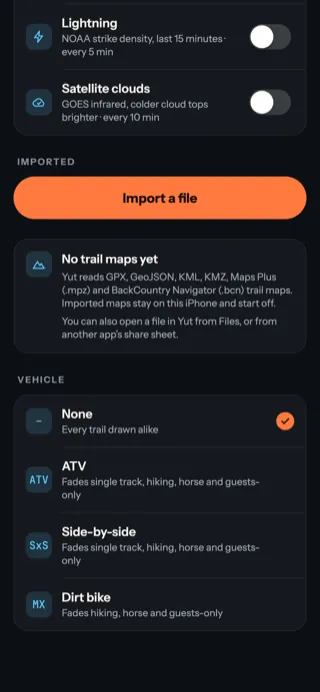 Import trail mapsBring in the trail maps you already have — including the Hatfield–McCoy map — as layers on Yut's map.
- Terrain, land and waterSee the shape of the ground, how steep it is, whose land it is and what the creeks are doing.
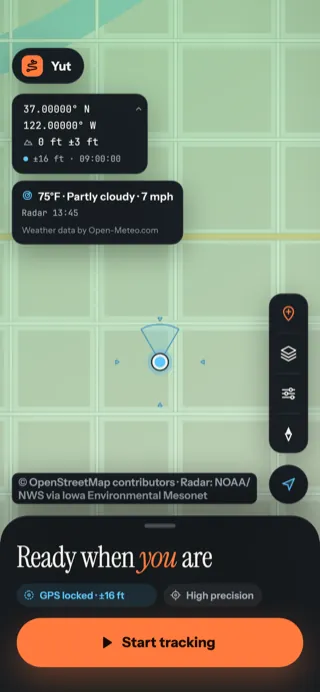 Weather, lightning and firesRain radar and the current conditions, lightning strikes, cloud cover and active fires on the map.
Your routes
Look back at past routes, then name, share or export them.
- Your routesFind every route you've recorded, with your week's totals at the top.
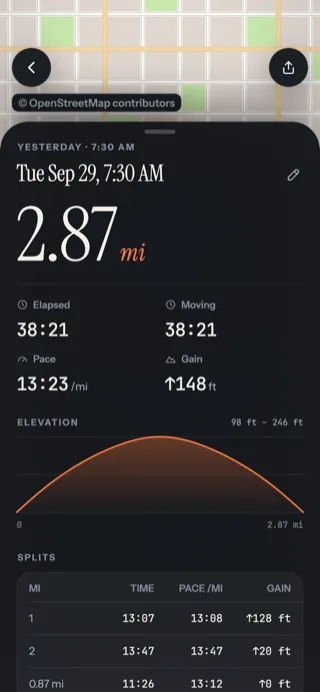 A route's pageEverything about one route: its map, times, elevation profile, mile-by-mile splits and pace colours.
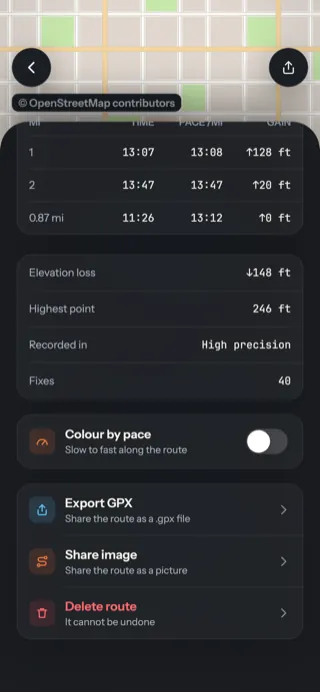 Name, share, export and deleteRename a route, share it as a picture or a link, save it as a GPX file, or delete it.
Settings & backup
Themes, units and backing up to Yut's server.