
Guide · The map
Drop pins
Mark a spot with one tap — a campsite, a gate, a view — and find your way back to it.
Find it in the app
- Map screen
- Drop pin
Tap Drop pin on the right-hand column to drop a pin exactly where you are. It works whether you're recording or not.
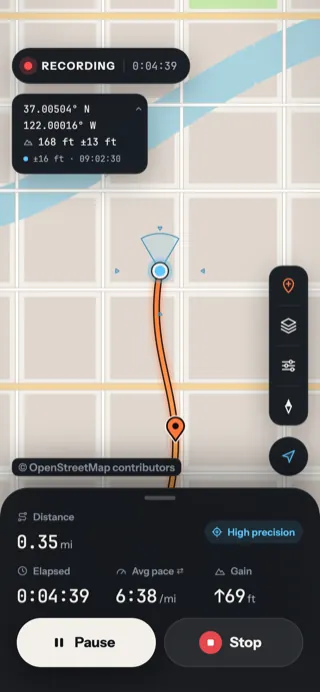
1. Drop it
Tap Drop pin. A pin lands at your location and a short “Pin dropped” message confirms it.
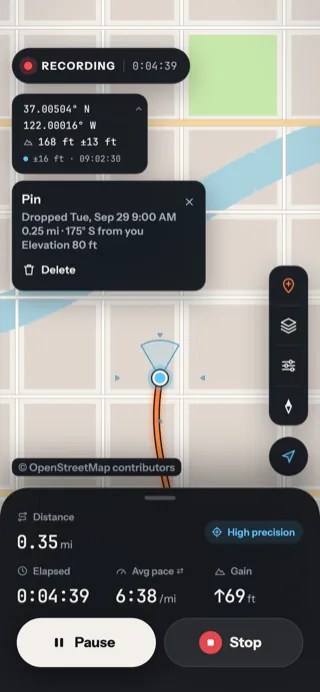
2. Tap it later
Tap the pin to see when you dropped it, how far away it is and in which direction.
- How far, and which way: 0.25 mi, 175° (south) from where you are now.
- Delete removes the pin.
- ✕ closes the card.
| Pin dropped… | Where it lives |
|---|---|
| While recording | With that route: it shows on the route's page, goes into its GPX file as a waypoint, and is deleted with it |
| While not recording | On the map |
Updated October 12, 2026 · Still stuck? Ask us