
Guide · Your routes
Your routes
Find every route you've recorded, with your week's totals at the top.
Find it in the app
- Tracking options
- History
Every route you stop is saved in History, newest first.
Tap Tracking options on the map screen.
Scroll to History and tap it.
Tap any route to open it on its own map.
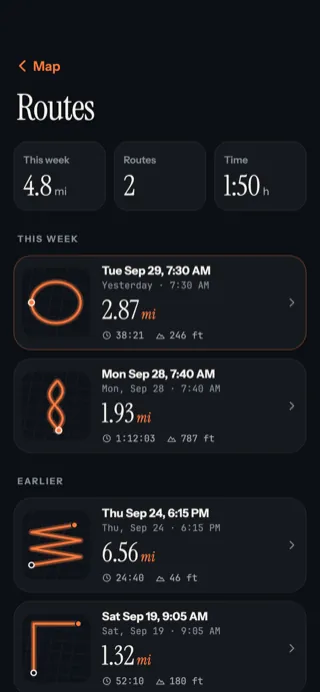
- ‹ Map takes you back to the map.
- This week: distance, number of routes and time.
- Each route's outline, so you can spot it at a glance.
- Its name, or the date and time it started.
- Distance, time and climb.
Next: what's on a route's page.
Updated October 12, 2026 · Still stuck? Ask us